
SFMB - Single Stage
How to find and play local stage files through the SFMB Single Stage menu.
- About Single Stage
- Opening a Local Stage
- Which Files Appear
- Required Game Themes
- Clearing or Failing a Stage
- Local Clear Records
- Related Guides
About Single Stage
Single Stage plays one local .map file independently. It is mainly intended for stages created with the Map Editor or map files placed manually in the game's local map folders.
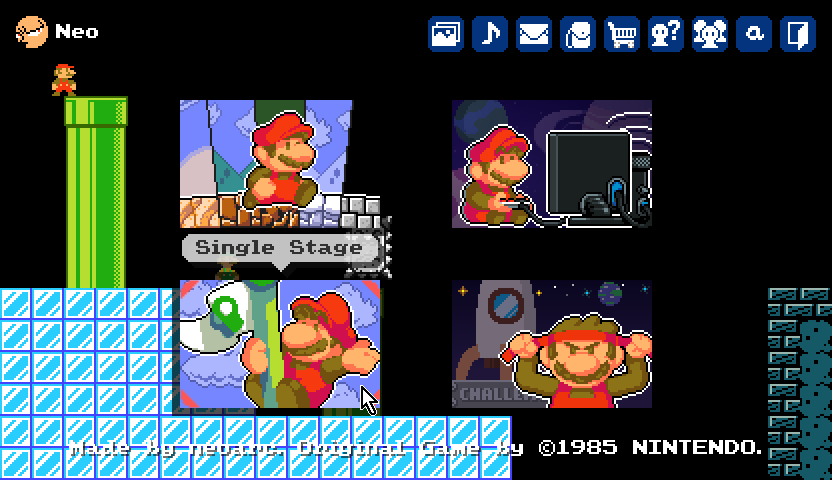
Single Stage is separate from [[sfmb_stage_packs]]{Stage Pack}, which connects multiple stages as a game, and [[sfmb_stage_world]]{Stage World}, which provides online community stages.
Opening a Local Stage
- Select Single Stage on the title screen.
- Choose a stage from the Select Stage list.
- SFMB loads the selected file and opens its stage-introduction screen.
The list shows the map's file name without its .map extension. For maps inside a subfolder, the folder is used internally to locate the file but only the file name is displayed in the list.
Which Files Appear
SFMB scans the following locations whenever the Single Stage list is opened:
.mapfiles directly insideResources\Map.mapfiles inside an ordinary folder directly underResources\Map
The scan is only one folder deep. For example, Resources\Map\MyStages\Example.map can appear, but a map placed another level below it is not found.
The following content is intentionally excluded:
Resources\Map\Download— reserved for stages downloaded by Stage WorldResources\Map\.AutoSave— reserved for Map Editor recovery files- A folder recognized as a valid Stage Pack
- A root-level map whose file name begins with
_
Maps downloaded through Stage World are encrypted and cannot be opened directly by the user. The Download folder containing them is deliberately excluded from Single Stage, so these stages must be played through [[sfmb_stage_world]]{Stage World}.
After adding, removing, or renaming a local map while the list is already open, return to the title screen and reopen Single Stage to refresh it.
Required Game Themes
Before play begins, SFMB checks which official Game Themes the selected map uses. If a required official theme is not installed and enabled, the game returns to the title screen with a list of the missing themes.
Install or update them through the [[sfmb_main_menus]]{Game Theme Gallery}, then open the stage again.
Clearing or Failing a Stage
Single Stage ends at that stage's goal instead of following its NextStageName into another map. After a clear, the available main actions are:
- Back to the title
- Retry the same stage
The same two actions are available after losing all lives. To choose a different local stage, return to the title screen and open Single Stage again.
Local Clear Records
When a local stage is cleared, SFMB saves its best completion time and best score to the active local profile. These records are kept separately from Stage World records and are identified by the local stage path.
Renaming or moving a map changes that path, so the renamed or moved copy is treated as a different stage for record purposes.
Related Guides
- [[sfmb_main_menus]]{Main Menus} — An overview of the title-screen menus.
- [[sfmb_stage_packs]]{Stage Pack Guide} — How to play connected collections of local stages.
- [[sfmb_stage_world]]{Stage World Guide} — How to find and play online community stages.
- [[sfmb_mapeditor_guide]]{Map Editor Guide} — How to create and save stages.